
Blog
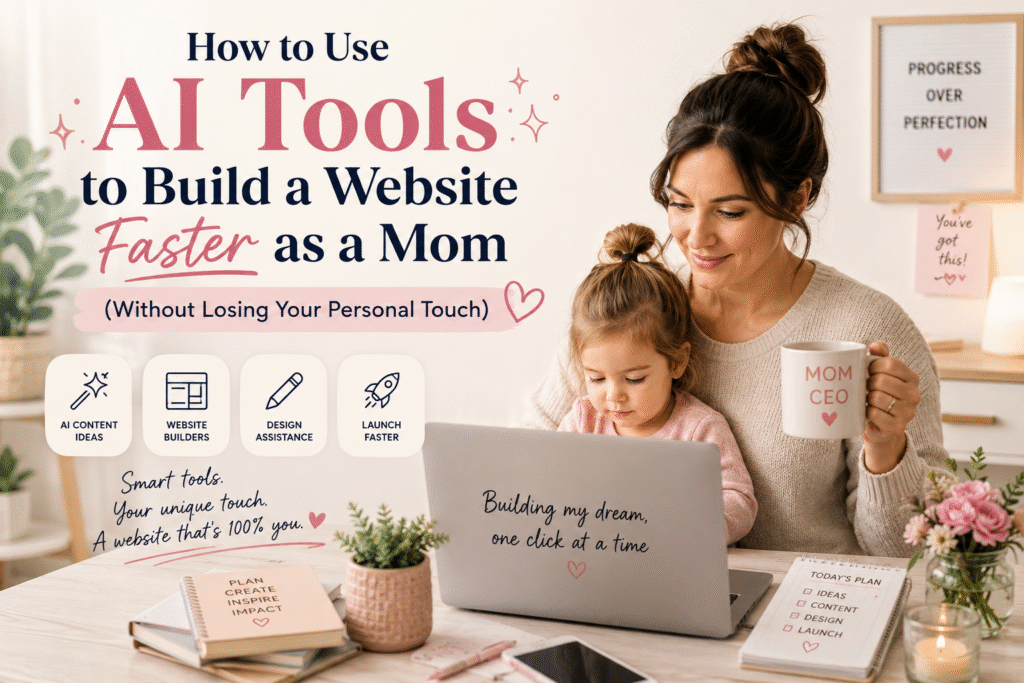
How to Use AI Tools to Build a Website Faster as a Mom (Without Losing Your Personal Touch)
Let me be honest with you for a second.
There have been nights when the kids are finally asleep, the dishes are done, and I’ve answered the last client email, and I sit down at my laptop and think: How am I supposed to do all of this?
Running a web design business while raising kids is no joke. Every project has a deadline. Every client wants something beautiful, fast, and on budget. And I only have so many hours in the day.
That’s exactly why I started taking AI tools seriously. Not because I wanted to replace my creativity or my personal touch, but because I needed to protect my time without sacrificing my work quality.
And here’s what I found out: AI doesn’t replace you as a designer. It just removes the exhausting parts so you can show up fully for the parts that actually matter.
So today, I’m sharing exactly how I use AI tools (specifically ChatGPT, Claude, and Canva AI) to build websites faster, work smarter, and still deliver something that feels human and beautiful for every single client.
First, Let’s Talk About the Fear
I know what some of you might be thinking. “If I use AI, won’t my work feel generic? Won’t clients notice?”
I thought the same thing. But here’s the truth: AI is a tool, just like Elementor, Canva, or even WordPress itself. The magic doesn’t come from the tool. It comes from you knowing how to use it with intention.
Your eye for design? Still yours. Your understanding of your client’s brand and goals? Still yours. Your ability to communicate warmth and story through a website? Still 100% yours.
AI just helps you get there faster. And as a mom? Faster is everything.
The AI Tools I Actually Use (And How)
1. ChatGPT & Claude: For Writing, Planning, and Thinking
These two are my go-to thinking partners, and honestly, they’ve changed the way I approach every project.
Here’s how I use them in my web design process:
🗂️ Project Planning
Before I even open WordPress or Elementor, I’ll open Claude or ChatGPT and type something like:
“I’m designing a website for a small Filipino restaurant. They want to feel warm, family-owned, and modern. Help me outline the pages they need and what content should go on each one.”
Within seconds, I have a full site map with page suggestions, content ideas, and even questions I should ask my client during the onboarding call. What used to take me 30–45 minutes of blank-staring now takes 5.
✍️ Copywriting for Client Sites
This is where AI saves me the most time. Writing website copy is hard, especially when you’re doing it for someone else’s business. I used to spend hours trying to capture a client’s voice.
Now, I gather information from my client intake form, paste it into Claude, and ask it to write the homepage hero text, about section, and service descriptions, all in a warm, approachable tone that matches their brand.
Important note: I always review, edit, and personalize the copy before it goes live. AI gives me a great first draft. I give it the heart.
💬 Client Communication
Struggling to write a proposal? Need to send a follow-up email that’s professional but not stiff? I ask Claude to draft it for me. Then I read it, adjust it to sound like me, and send.
This small shift has made my client communication so much smoother, and saved me from that “staring at a blank email for 20 minutes” paralysis we’ve all felt.
💡 When You’re Creatively Stuck
We all hit creative walls. When I can’t figure out a color palette direction or a layout concept, I’ll describe the client’s brand vibe to ChatGPT and ask for mood board concepts or layout ideas. It sparks something in my brain, even if I don’t use exactly what it suggests.
2. Canva AI: For Design Assets That Don’t Look Generic
Canva has quietly become one of the most powerful AI design tools out there, and if you’re using it just for social media posts, you’re missing out.
Here’s how I use Canva AI specifically for web design work:
🖼️ Client Presentation Decks
Before a client ever sees their website, I present a visual concept to them: mood, color palette, typography direction. I build this in Canva using their Magic Design feature. I describe the brand, choose a few reference images, and Canva generates a polished presentation template in seconds.
I customize it with my branding, swap out photos, and add my notes, but the bones are already there. My clients are always impressed, and I didn’t spend three hours in Illustrator.
✨ Custom Graphics for Website Pages
Websites need graphics: banners, icons, section dividers, call-to-action visuals. Canva’s Text to Image feature lets me generate custom visuals that match a client’s brand style without having to purchase expensive stock photos or spend hours in Photoshop.
For a crafting e-commerce client, for example, I generated soft, watercolor-style product background images using Canva AI. It felt custom. It felt personal. And it took me 10 minutes.
📱 Social Media Kits for Clients
Many of my web design packages include a basic social media kit, with branded templates the client can use after launch. Canva AI helps me generate a cohesive set of templates fast, which I then brand to match the website I just built. It’s a great add-on service that doesn’t eat up too much of my time.
🪄 Magic Write for On-Page Content
Canva’s built-in Magic Write (their AI writing tool) is great for short bursts of copy: taglines, button text, caption ideas. When I’m designing inside Canva and need a quick headline for a banner, I don’t have to stop and switch apps. I just use Magic Write right there.
My Real Workflow: A Day in the Life
Let me walk you through what a typical client project looks like now versus before AI:
Before AI:
- Client onboarding → 1 hour to create a site map
- Copywriting drafts → 3–4 hours
- Design asset creation → 2–3 hours
- Client presentation → 1.5 hours
- Total: 7–9 hours of prep before I even start building
With AI:
- Client onboarding → 20 minutes (AI helps me draft the site map)
- Copywriting drafts → 45 minutes (AI drafts, I refine)
- Design assets → 1 hour (Canva AI + my customization)
- Client presentation → 30 minutes (Canva Magic Design + my edits)
- Total: 2.5–3 hours of prep
That’s 4–6 hours saved per project. As a mom, that’s not just time. That’s life. That’s homework help, dinner on the table, and maybe just maybe a moment to breathe.
How to Keep Your Personal Touch (This Part Matters)
Here’s my number one rule with AI: It starts the conversation. You finish it.
AI doesn’t know your client the way you do. It doesn’t know that your client gets emotional talking about her late mother’s recipe collection, and that her bakery website needs to feel like a warm hug. You know that. You bring that.
Here’s how I make sure every project still feels personal:
- Always rewrite AI copy in your client’s voice. Use it as a framework, not a finished product.
- Add real photos whenever possible. AI visuals are great for placeholders or backgrounds, but real photos of real people build real trust.
- Let your story into your work. Clients hire you, not a robot. Lean into what makes you unique.
- Review everything before it goes to the client. AI makes mistakes. It sometimes misses the nuance. Your eyes are the quality check.
You Don't Have to Learn Everything at Once
If you’re new to AI tools, please don’t feel like you need to master all of this overnight. Start small.
Here’s a simple challenge: The next time you’re writing copy for a client’s About page, try asking ChatGPT or Claude to write a first draft. Give it details about the business, the owner’s story, and the tone you’re going for. See what comes back.
I promise, even if it’s not perfect, it will save you time and unstick you from that blank-page feeling.
From there, try Canva AI for your next presentation deck. Then maybe experiment with generating a custom banner image. One tool at a time.
Final Thoughts: You're Still the Designer
AI is changing web design. That’s just true. But it’s not replacing the thoughtful, creative, client-centered work that you bring to every project.
If anything, it’s giving us (the moms, the solopreneurs, the ones doing this with limited hours and unlimited heart) a real shot at building businesses that are sustainable and scalable.
Use the tools. Save the time. Show up fully for your clients and your kids.
That’s the balance we’re all working toward. And you’re closer than you think.

I'm Sharon Felicio. I'm glad you are exploring my website.
- felicio.sharon@gmail.com
Services I Offer
Donate via Paypal

Other Blog Posts

Reach me
Let’s Walk This Road Together
Whether you’re here for comfort in shared experiences, to discover practical tips for motherhood, or to explore creative solutions for your business, my hope is that you leave this space feeling seen, supported, and inspired.